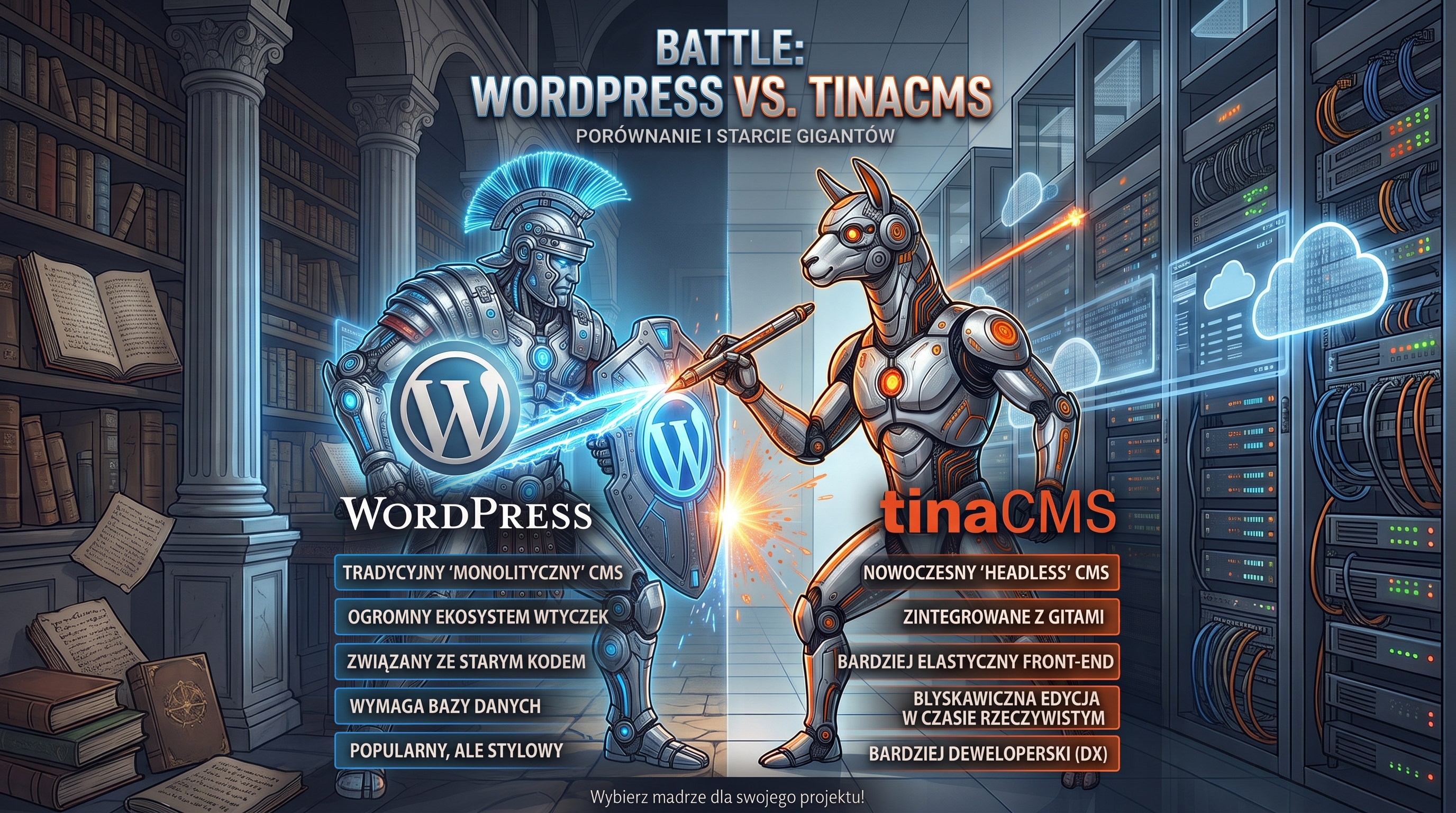
TinaCMS as a Lightweight Alternative to WordPress: Is It Time to Ditch Traditional CMS?
TinaCMS is a lightweight alternative to WordPress: visual live editing, Git-backed content, zero databases, and no plugin bloat. Discover who it's for and how much it costs.
Choosing between a classical monolithic CMS and a modern headless architecture represents one of the most critical foundational decisions when building a website. In the showdown of TinaCMS vs. WordPress, the fundamental distinction comes down to data persistence and delivery: while WordPress relies on a relational MySQL database and a labyrinth of PHP plugins, open-source TinaCMS operates on a repository-native Git-based CMS architecture. This means all content is stored as clean, structured Markdown and JSON files right alongside your frontend code, edited visually in real time directly on the live page. This Jamstack architecture completely eliminates database server management overhead, reduces attack surfaces to near zero, and consistently yields near-perfect Core Web Vitals scores (98–100 points). Below is a comprehensive technical breakdown, cost comparison, and practical selection guide for businesses in 2026.
What Is TinaCMS and How Does Git-Based Editing Work?
TinaCMS is an open-source headless CMS built on top of Git repositories. Let’s break down this architecture into two core components:
Open-Source Architecture and Markdown Files
A conventional CMS stores your articles inside database tables. You write a post, it gets saved to MySQL, and PHP dynamically queries the database on every page hit. TinaCMS as an alternative to WordPress works differently: your content consists of plain Markdown files living right in your Git repository next to your application code. When you update a post, TinaCMS commits the change as a standard Git commit conforming to Git documentation standards. You benefit from complete version control history without ever being held hostage by a database dump.
Contextual Visual Editing on the Live Site
When you log in to your site in edit mode, you click directly on any headline, paragraph, or image and change it right on the page, seeing the exact final rendering in real time. There is no detached admin dashboard where you write blind content without previewing the layout. TinaCMS integrates seamlessly with modern frameworks like Next.js and Astro.
Why Classical WordPress Can Feel Too Heavy for Simple Sites
WordPress powers over 40% of the web and remains a solid choice for countless scenarios. The friction begins when your actual requirements are simple, yet WordPress forces the weight of a full monolithic stack onto your project.
MySQL Database Maintenance and Plugin Vulnerabilities
- Mandatory Database Maintenance: Every standard WordPress installation requires a MySQL database that needs routine backups, index optimizations, and security monitoring.
- Plugin Technical Debt: Contact forms, SEO tools, image optimization, caching mechanisms — every basic requirement demands an additional plugin, increasing the risk of conflicts after minor updates.
- Continuous Security Risks: A WordPress site left unpatched for a quarter becomes an easy target for automated bots scanning the web for known third-party plugin vulnerabilities.
TinaCMS vs. WordPress: Head-to-Head Comparison
To help evaluate your decision, here is how both platforms compare across foundational criteria for a typical company website or content blog:
| Criteria | TinaCMS | WordPress |
|---|---|---|
| Content Storage | Markdown/JSON files in Git | Relational MySQL database |
| Editing Experience | Visual contextual editing on-page | Separate admin dashboard (Gutenberg) |
| Database Requirement | Completely unnecessary | Mandatory (MySQL / MariaDB) |
| Plugin Overhead | Zero third-party plugins | Typically 15–30 active plugins |
| Version History | Granular Git commit log | Database revisions table |
| Security Surface | Extremely minimal static attack surface | Requires active monitoring and security patches |
| Performance (Core Web Vitals) | 95–100/100 (static HTML) | Dependent on server capacity and cache tuning |
| Learning Curve | Requires basic Git and Node.js comfort | Instant turn-key admin interface |
Who Is TinaCMS For, and Who Should Avoid It?
Selecting the right tool depends first and foremost on the business model and scope of your site:
When TinaCMS Is the Ideal Solution
- You are creating a static site: company brochure, portfolio, high-converting landing page, or expert blog.
- Your highest priorities are page load speed, Core Web Vitals, and zero monthly server maintenance fees.
- You use AI coding assistants to generate custom Astro or Next.js components.
- You want 100% data ownership of your content files without platform lock-in.
When WordPress Remains the Better Choice
- You need a full-featured e-commerce platform (WooCommerce wins on payment gateway and shipping integrations).
- You need a site up in 15 minutes without touching a terminal or a Git repository.
- You require dynamic backend portal logic: membership areas, classifieds, or multi-calendar appointment bookings.
How Much Does a TinaCMS Website Really Cost in 2026?
When analyzing TinaCMS vs. WordPress total cost of ownership, the difference over a year is substantial:
- TinaCMS (Jamstack Stack): Open-source engine ($0), static hosting on Netlify/Vercel ($0 on generous free tiers), Tina Cloud ($0 for 1–2 editors). The only fixed cost is domain registration ($10–$20/year).
- Classical WordPress: Hosting with MySQL support ($50–$150/year), premium commercial theme ($50–$100 one-time), plus potential recurring fees for premium SEO, backup, and caching plugins.
How to Get Started with TinaCMS Step-by-Step
- Initialize Your Frontend Project: Create an Astro or Next.js site skeleton (using an AI prompt or official starter template).
- Install TinaCMS: Run
npx @tinacms/cli@latest initto scaffold the configuration and schema files. - Define Content Collections: Configure schema fields in your config file (title, description, body, cover image).
- Connect to GitHub: Push your code to GitHub and connect the repository to a static hosting platform like Netlify or Vercel.
What TinaCMS Won’t Do for You
- Does Not Replace Backend Logic: If you require server-side billing logic or custom database queries, you must deploy them via serverless functions.
- No 50,000 Plugin Marketplace: Every integration (e.g. newsletter subscriptions) is wired up via clean REST/GraphQL APIs or dedicated UI components.
- Requires Basic Git Awareness: Content creators need a basic understanding of how commits and production branches publish updates.
Does Migrating a Live WordPress Site to TinaCMS Make Sense?
If you already run a stable, fast WordPress site with strong organic rankings on Google, migrating for the sake of migration rarely makes business sense. It requires exporting post archives, mapping 301 redirects, and rebuilding templates from scratch.
Choose TinaCMS as an alternative to WordPress when building greenfield websites or during an architectural redesign starting with a clean slate.
Final Verdict and Summary
TinaCMS is an outstanding solution for creators and businesses looking to escape sluggish admin dashboards and recurring hosting fees. It fuses the convenience of live on-page visual editing with the unbeatable performance and security of static HTML. If you build websites with modern frontend stacks and AI pair programmers, TinaCMS gives you technical peace of mind for years to come.
Frequently Asked Questions (FAQ)
How does TinaCMS differ from WordPress?
TinaCMS stores content in Markdown files in a Git repository instead of a MySQL database, and editing happens visually directly on the live website rather than in a detached admin dashboard. It requires no database or plugin stack, making it lighter, faster, and cheaper to maintain.
Is TinaCMS completely free?
Yes, the TinaCMS engine is 100% open-source and free to self-host. Tina Cloud offers a generous free tier that comfortably covers solo creators and small businesses.
Who should avoid choosing TinaCMS?
TinaCMS is not suited for complex e-commerce stores, membership community portals, or users who want zero exposure to Git and repository workflows.